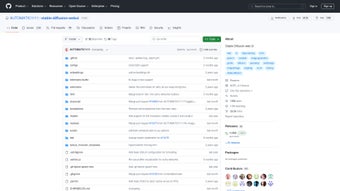

Download AUTOMATIC1111 – Free Stable Diffusion Web UI, Open‑Source Image Generation Tool
Introduction
Artificial‑intelligence‑driven image creation has moved from research labs to the desktop of every creative professional. Among the many tools that have emerged, AUTOMATIC1111 stands out as the most accessible, feature‑rich, and community‑supported web interface for the popular Stable Diffusion model. Whether you are a freelance illustrator, a game‑dev concept artist, or a software engineer looking to embed generative AI into a larger pipeline, this open‑source platform delivers a browser‑based experience that eliminates the steep learning curve traditionally associated with command‑line AI tools.
The UI consolidates everything you need—model management, prompt engineering, real‑time preview, and even collaborative development utilities—into a single, secure, and free package. In this review we’ll explore the core capabilities, walk through installation on multiple operating systems, examine system requirements, and weigh the strengths and weaknesses that matter most to end‑users. By the end, you’ll have a clear picture of why AUTOMATIC1111 is often the first recommendation for anyone wanting to harness Stable Diffusion without paying for proprietary software or wrestling with cryptic scripts.
Overview & Core Features
AUTOMATIC1111 is an open‑source web UI built on top of the Stable Diffusion diffusion model. It transforms the traditionally command‑line heavy workflow into an intuitive, responsive interface that runs in any modern browser. The platform is designed for both newcomers and power users, offering a layered set of tools that can be gradually explored.
New users can start generating images with a few clicks, while advanced developers can dive into the integrated code explorer, plug‑in architecture, and issue‑tracking system without leaving the UI. Security is baked in through static analysis of dependencies, and regular community releases keep the software up‑to‑date with the latest model improvements and bug fixes. The combination of free licensing, cross‑platform support, and a thriving plugin ecosystem makes AUTOMATIC1111 a unique hub for AI‑art creation and collaborative development.
- Browser‑Based UI: No heavyweight desktop client required; launch the UI locally or on a remote server and access it via any modern browser.
- One‑Click Model Management: Upload, switch, and organize Stable Diffusion checkpoints, LoRA adapters, and custom embeddings directly from the interface.
- Prompt Engineering Assistant: Built‑in suggestions, style presets, and real‑time preview help users craft high‑quality prompts quickly.
- Multi‑GPU & Distributed Rendering: Leverage multiple NVIDIA or AMD GPUs for batch generation and high‑resolution outputs.
- Plugin Architecture: Community‑maintained extensions add new samplers, UI themes, post‑processing filters, and workflow automations.
- Integrated Issue Tracker: Create, comment, and close tickets without leaving the UI, streamlining collaborative development.
- Security Scanner: Automatic static analysis flags vulnerable Python packages and insecure custom scripts on startup.
- Extensive Documentation: Step‑by‑step guides, API references, and video tutorials cover everything from basic usage to advanced customization.
- Docker & Kubernetes Ready: Official images simplify cloud deployments, enabling scalable AI‑art services.
- Cross‑Platform Compatibility: Native support for Windows, macOS (Intel & Apple Silicon), Linux, and containerized environments.
Installation & Usage Guide
Getting AUTOMATIC1111 up and running can be accomplished in three primary ways: a quick Docker deployment, a manual Python‑based installation for full control, or a cloud‑hosted instance via a pre‑configured Kubernetes chart. Below we outline each method, highlight common pitfalls, and provide best‑practice tips for smooth operation.
Prerequisites
- Python 3.10 or newer (required for manual installs).
- Git 2.30 or newer.
- CUDA‑enabled NVIDIA GPU (recommended) or ROCm‑compatible AMD GPU.
- At least 8 GB RAM; 16 GB+ recommended for high‑resolution batch jobs.
- Docker 20.10+ (if using containerized deployment).
Docker Quick‑Start (Recommended for Most Users)
- Install Docker Desktop (Windows/macOS) or Docker Engine (Linux).
- Pull the official image:
docker pull ghcr.io/automatic1111/stable-diffusion-webui:latest - Create a persistent volume for model storage:
docker volume create sd-webui-data - Run the container, exposing port 7860:
docker run -d -p 7860:7860 -v sd-webui-data:/data ghcr.io/automatic1111/stable-diffusion-webui:latest - Open
http://localhost:7860in any browser. The UI loads instantly, and you can begin uploading checkpoints or generating images.
Manual Python Installation (Full Feature Access)
- Clone the repository:
git clone https://github.com/AUTOMATIC1111/stable-diffusion-webui.git - Navigate to the folder and set up a virtual environment:
cd stable-diffusion-webui python -m venv venv source venv/bin/activate # Windows: venv\Scripts\activate - Install dependencies:
pip install -r requirements.txt - Download a Stable Diffusion checkpoint (e.g.,
sd-v1-5.ckpt) and place it inmodels/Stable-diffusion. - Launch the UI with optional flags for remote access:
--share creates a secure tunnel via Gradio if you need external access.python launch.py --listen --port 7860 --share - Visit
http://127.0.0.1:7860and explore the interface. Adjust CFG scale, steps, seed, and model selections directly from the sidebar.
Best Practices for Stable Operation
- Cache Management: Periodically clear the
cachefolder to free up SSD space, especially after large batch jobs. - GPU Drivers: Keep NVIDIA drivers and CUDA toolkit up‑to‑date to avoid compatibility warnings during launch.
- Security: If exposing the UI to the internet, enable a password via the
--authflag and restrict inbound traffic with a firewall. - Version Control: Fork the repository and create a separate branch for custom plugins; this prevents accidental overwrites during upstream updates.
Compatibility & System Requirements
AUTOMATIC1111 is engineered for maximum portability. It runs natively on Windows, macOS, and major Linux distributions, and it can also be containerized for cloud or edge deployments. Below you will find the officially supported operating systems, along with the hardware specifications that deliver a smooth, responsive experience.
Supported Operating Systems
- Windows 10/11 (64‑bit): Native installation via PowerShell or Docker Desktop. Requires Visual C++ Redistributable and optional WSL2 for Linux‑style tooling.
- macOS 12+ (Intel & Apple Silicon): Install via Homebrew (Python, Git) or run the Docker image. Apple Silicon users benefit from native Metal acceleration when using the ROCm‑compatible build.
- Linux (Ubuntu 20.04+, Debian, Fedora, Arch): Full support through native Python environment or Docker. Systemd services can be used to run the UI as a background daemon.
- Docker/Kubernetes: Any host with Docker Engine 20.10+ or a Kubernetes cluster (v1.21+) can deploy the official container image, enabling horizontal scaling.
Hardware Recommendations
| Component | Minimum | Recommended |
|---|---|---|
| GPU | NVIDIA GTX 1060 (6 GB VRAM) | NVIDIA RTX 3080 (10 GB+ VRAM) or AMD Radeon 7900 XT (12 GB+ VRAM) with ROCm support |
| CPU | Quad‑core 2.5 GHz | Octa‑core 3.5 GHz+ (Intel i7/i9 or AMD Ryzen 7/9) |
| RAM | 8 GB | 16 GB–32 GB (especially for batch or high‑resolution generation) |
| Storage | 10 GB free SSD | SSD 100 GB+ for models, outputs, and cache (NVMe preferred) |
| OS Disk | Windows, macOS, Linux | Linux (Ubuntu) preferred for headless servers, but Windows/macOS work equally well for desktop use |
Running the UI on CPU‑only machines is possible, but expect generation times to increase from seconds to several minutes per image. Enabling CUDA (or Metal on macOS) reduces inference latency dramatically, making real‑time preview and batch processing viable for professional workflows.
Conclusion, Pros & Cons, and Frequently Asked Questions
Pros
- 100 % free, open‑source, and continuously updated by a vibrant community.
- Web‑based UI removes the need for complex command‑line interactions.
- Integrated code explorer and issue tracker streamline collaborative development.
- Robust plugin ecosystem lets users extend functionality without modifying core code.
- Security scanner provides early warnings about vulnerable dependencies.
- Multi‑GPU and Docker support enable both desktop and cloud‑scale deployments.
- Extensive documentation and video tutorials help users of all skill levels.
Cons
- Initial setup can be intimidating for users unfamiliar with Python or Docker.
- Large model files consume significant disk space; careful storage management is required.
- Feature‑rich UI may feel overwhelming; newcomers need time to explore all options.
- Community‑driven documentation occasionally lags behind rapid release cycles.
- Advanced security features require manual tuning for specific enterprise policies.
Frequently Asked Questions
Is AUTOMATIC1111 really free for commercial use?
Yes. The software is released under the MIT license, which permits unrestricted commercial, educational, and personal use without any licensing fees.
Can I run AUTOMATIC1111 on a remote server and share access with teammates?
Absolutely. By launching the UI with the --listen and --auth flags (or using the Docker --publish option) you can expose the interface over HTTPS, set a password, and let collaborators connect from any device.
Do I need a powerful GPU to generate high‑quality images?
While a modest GPU (GTX 1060) meets the minimum, a modern RTX 20xx/30xx series or an AMD Radeon with ROCm yields faster inference, smoother preview, and the ability to render 1024×1024 or larger images in seconds rather than minutes.
How does the built‑in security scanner work?
On startup the UI runs a static analysis of the Python environment, checking each installed package against known vulnerability databases. If a risk is detected, a warning appears in the dashboard, allowing you to update or remove the offending library before proceeding.
Can I integrate AUTOMATIC1111 into my own web service?
Yes. The platform exposes a RESTful API and WebSocket endpoints that let external applications submit prompts, retrieve generated images, and monitor job status. This makes it straightforward to embed Stable Diffusion capabilities into custom SaaS products or internal tools.
In summary, AUTOMATIC1111 delivers a comprehensive, secure, and entirely free solution for Stable Diffusion users. Its blend of a polished web UI, extensive plugin support, and built‑in development utilities makes it ideal for both artistic exploration and production‑grade pipelines. While the initial learning curve may be a hurdle for absolute beginners, the long‑term payoff—rapid prototyping, collaborative workflow, and the freedom to customize—easily outweighs the setup effort. If you’re looking for a reliable, future‑proof way to generate AI‑enhanced visuals without a subscription, AUTOMATIC1111 should be at the top of your shortlist.



.png)



